Intro
This guide is designed to help you get started with the Facebook Marketing API. It will show you how to generate a long lived access token allowing you to access your marketing performance data programmatically. Please note this token has an expiration of ~60 days.
Step 1
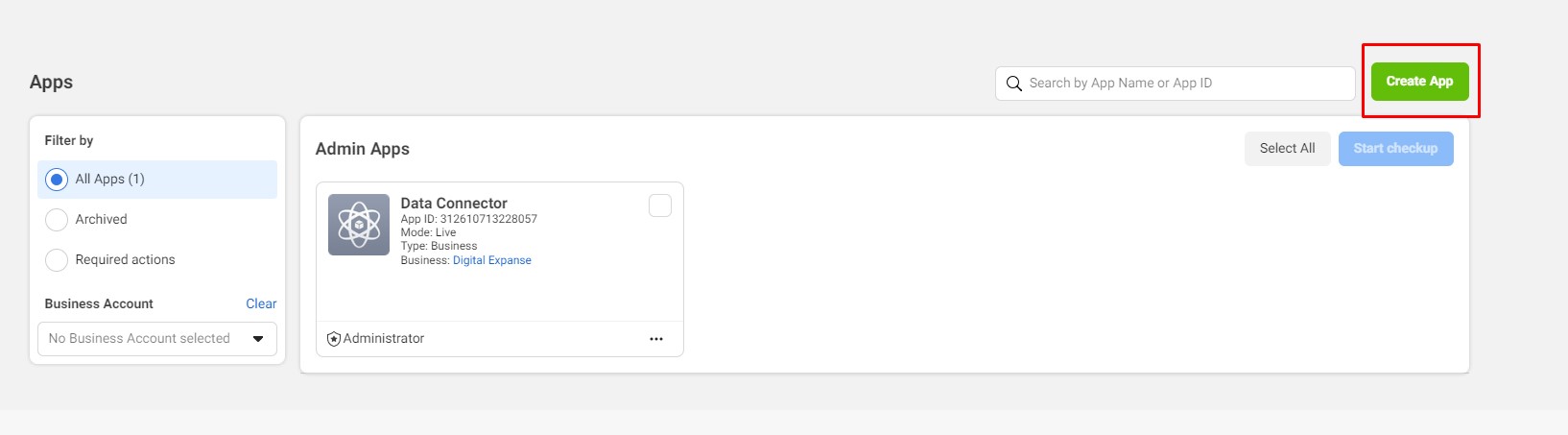
Create/Login to a Meta developer account. Once Logged in, go to the my apps section and click, “create app”.
Step 2
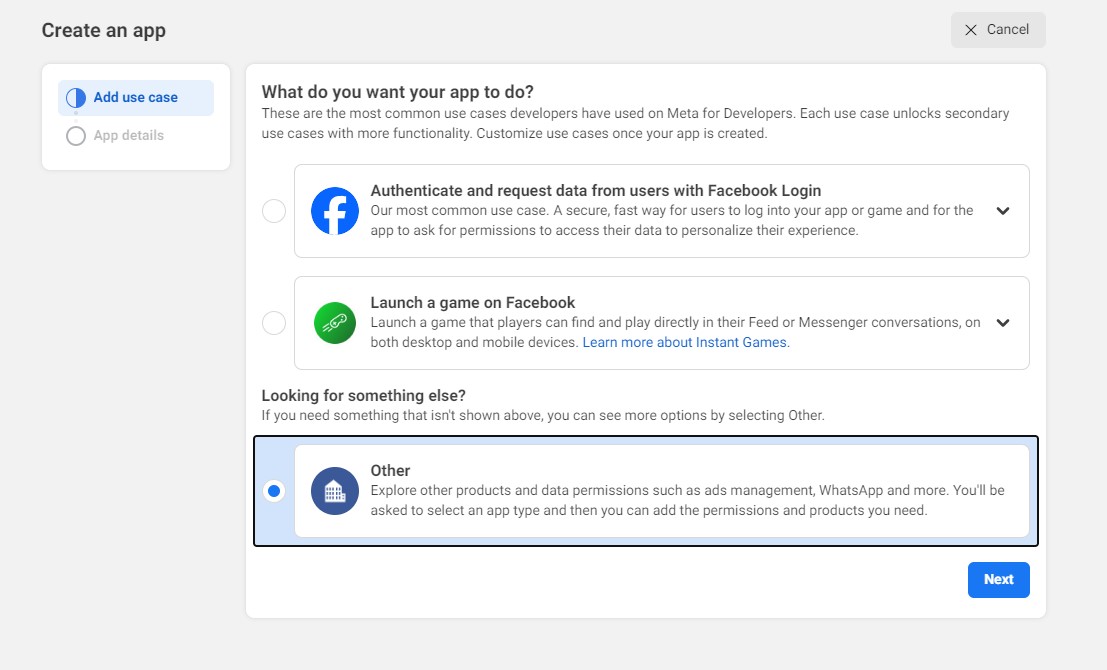
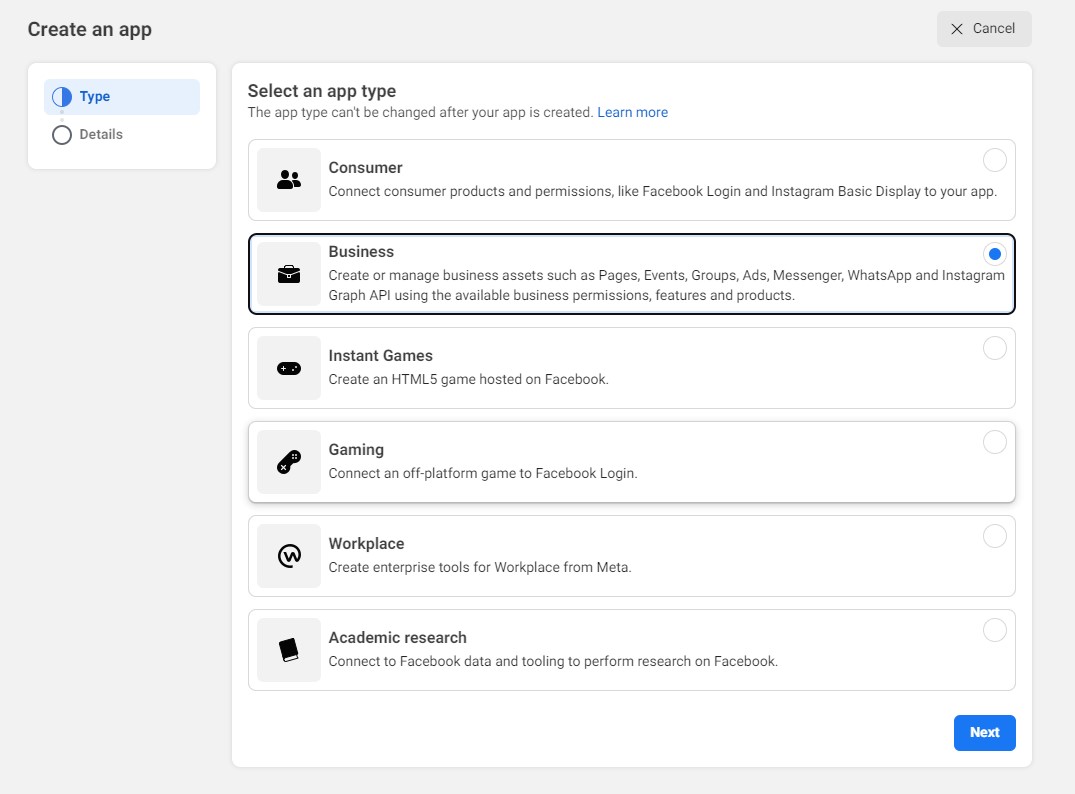
During the set-up, select “other” for the app use case and “business” for the app type.
Step 3
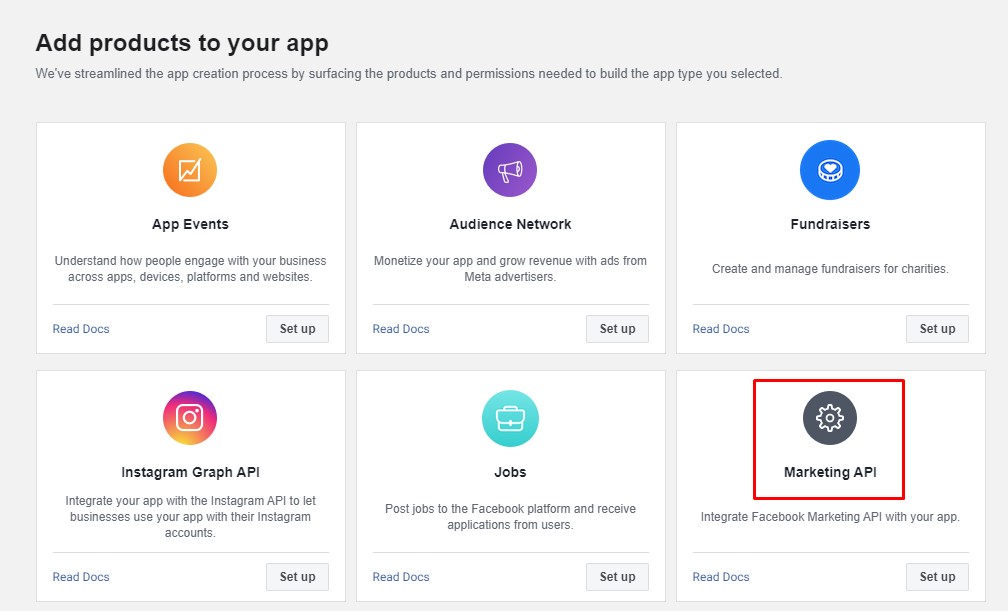
Add the marketing API to your application once initial set-up is completed.
Step 4
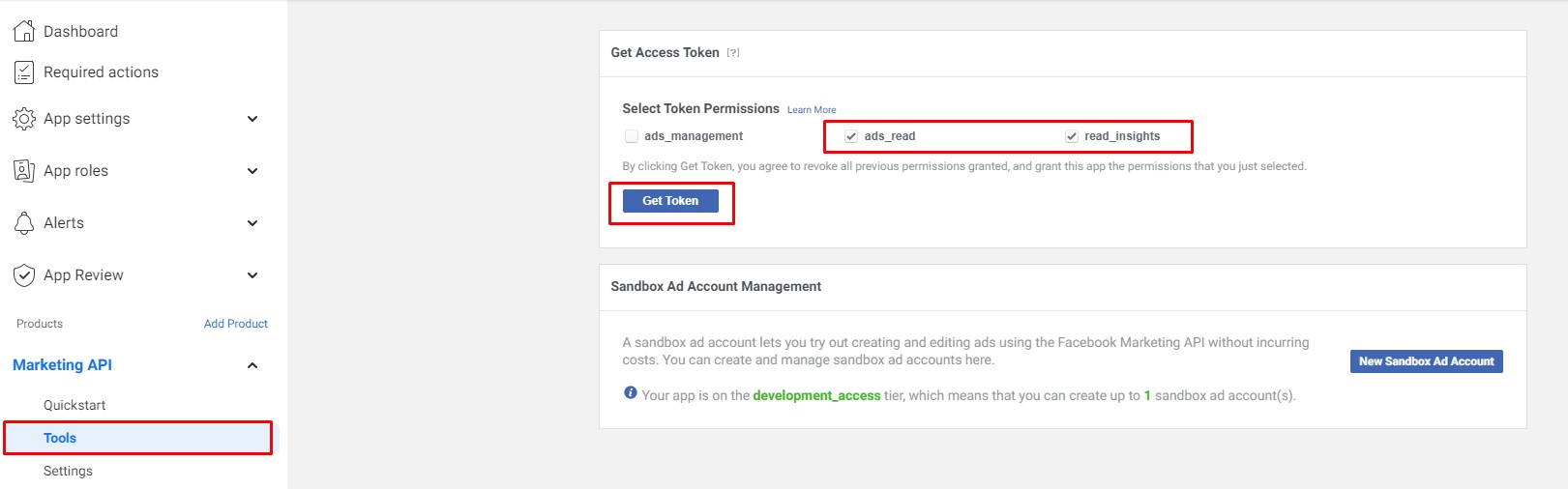
You can skip the next setup section, and go straight to marketing API -> Tools and generate your access token.
Congratulations, you now have your first access token that can be used to access your data. Ensure to keep this secure and do not share with untrusted sources.
FAQ
What is the Facebook Marketing API?
The Facebook Marketing API (Application Programming Interface) is a set of tools and protocols that allows developers to interact with and access Facebook’s advertising platform programmatically. This API enables businesses and developers to create custom applications, automate advertising processes, and extract valuable insights from their Facebook ad campaigns.
What is an API Access Token?
An API access token is a security credential that acts as a key to authenticate and authorize access to the Facebook Marketing API. It serves as a way for developers to prove their identity and permissions when making requests to the API. Access tokens are obtained through the Meta Developer portal and are required for every API call to ensure proper validation and control over the data and actions requested.
Who can use the Facebook Marketing API?
The Facebook Marketing API is primarily designed for developers, advertisers, and businesses who want to integrate and interact with the Facebook Ads platform in a more customized and automated manner. Access to the API is granted through the Facebook for Developers platform, and users must adhere to Facebook’s policies and guidelines for API usage.